

Description

Jix Instant Alerts to Telegram bridges the gap between your WooCommerce store and your Telegram messenger. Stop refreshing your email inbox to check for new orders. Get notified instantly on your phone or desktop the moment something happens on your site.
Whether you are a store owner needing to track sales, or an administrator monitoring user activity, this plugin provides a robust and customizable notification system.
🌟 Key Features (Free Version)
WooCommerce Order Alerts: Get notified when an order is placed or its status changes (e.g., Pending to Processing).
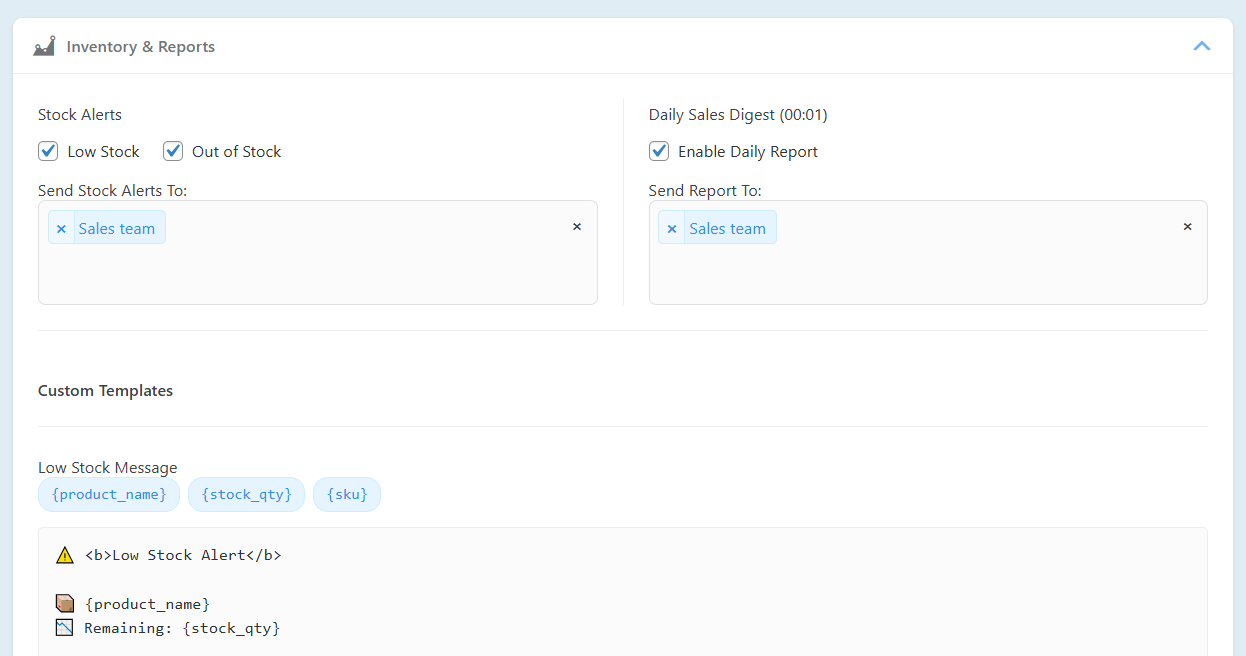
Product Stock Alerts: Receive instant warnings for Low Stock and Out of Stock products.
Daily Sales Digest: Get a summary of your store’s performance (Total Sales, Order Count) delivered every morning.
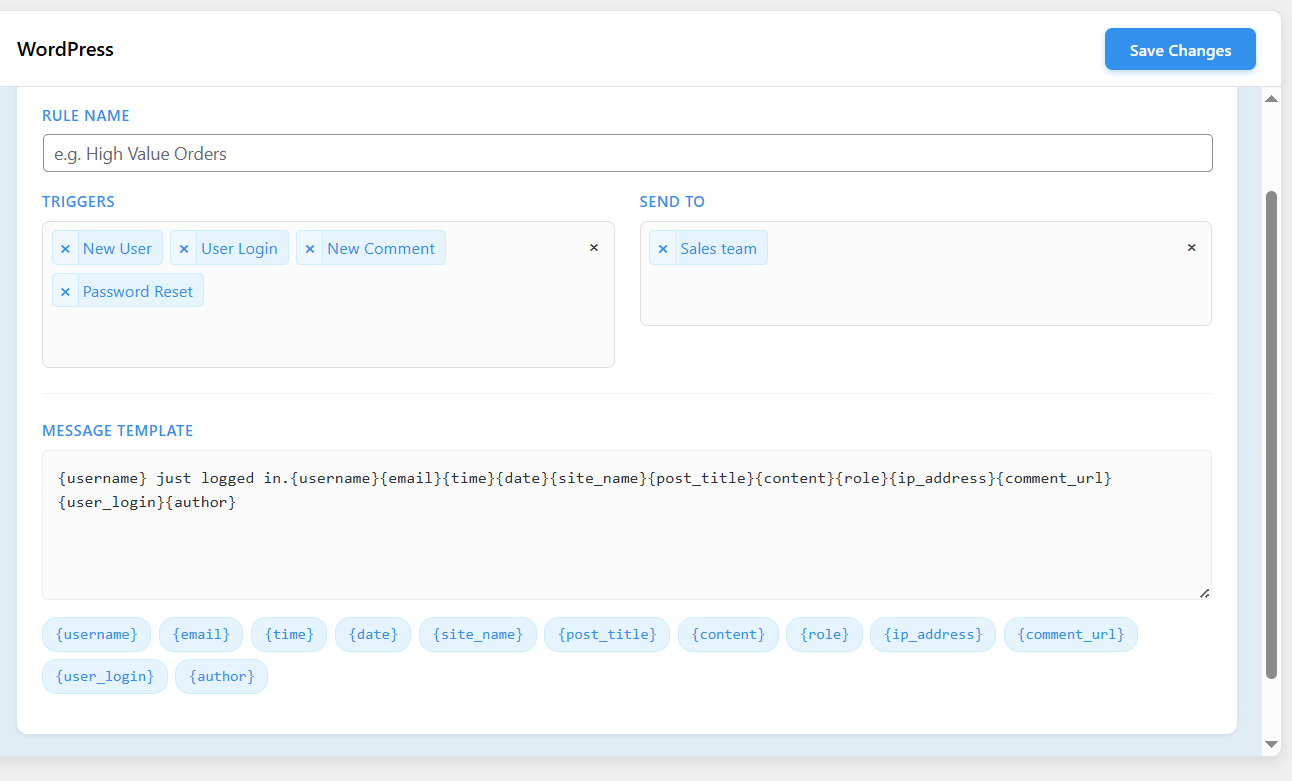
WordPress Events: Monitor core site activities:
- New User Registration
- User Login
- Password Resets
- New Comments & Product Reviews
Product Price Updates: Get alerted when a product price changes.
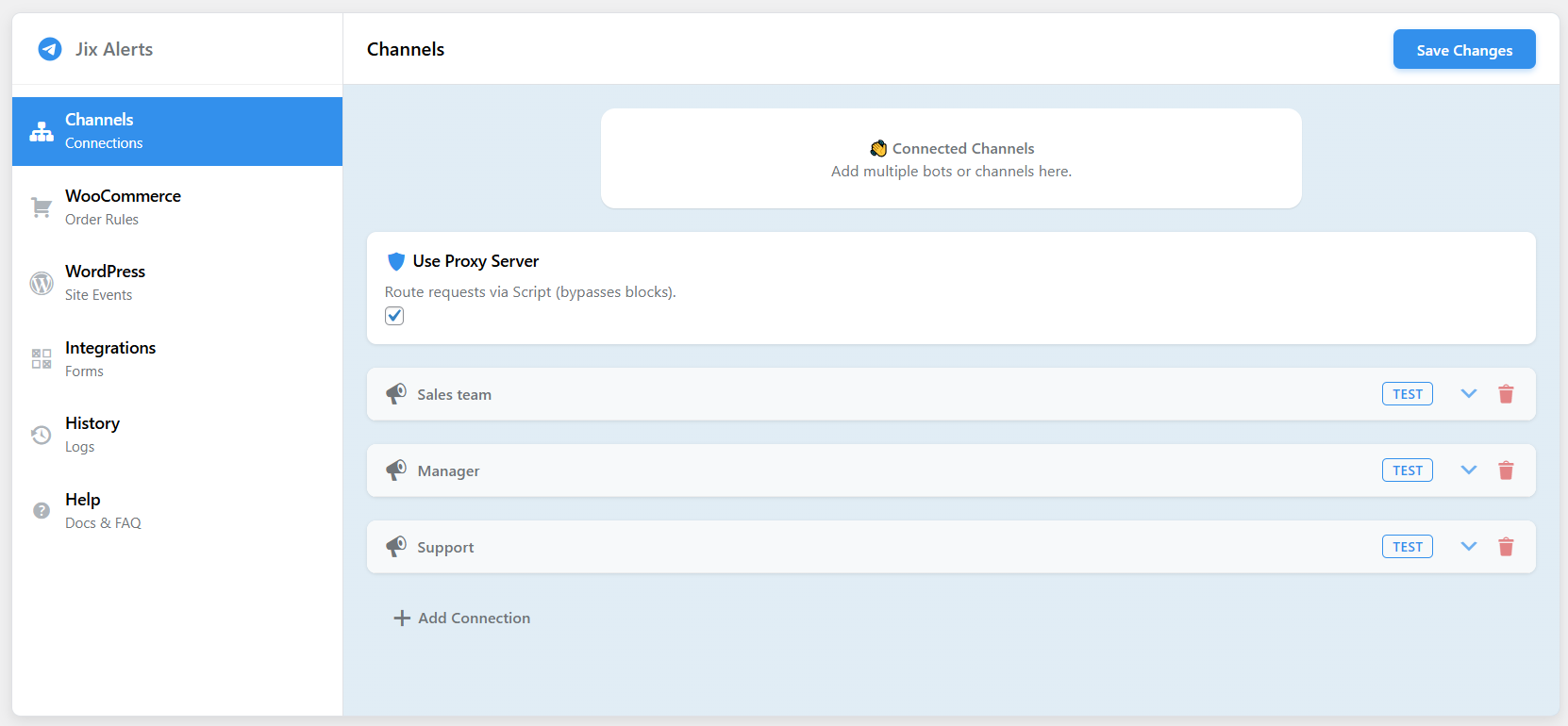
Proxy Support: Built-in Script proxy support for hosting providers that block Telegram API (IP blocking bypass).
Test Connection: Built-in tool to verify your bot credentials instantly.
Emoji Support: Beautifully formatted messages with emojis.
🚀 Pro Features (Upgrade to Pro)
Take full control of your notifications with the Pro version:
Unlimited Connections: Connect as many Telegram Bots, Channels, or Groups as you need. Segment alerts to different teams (e.g., Sales team gets orders, Admin gets security logs).
Unlimited Rules: Create unlimited notification rules for granular control.
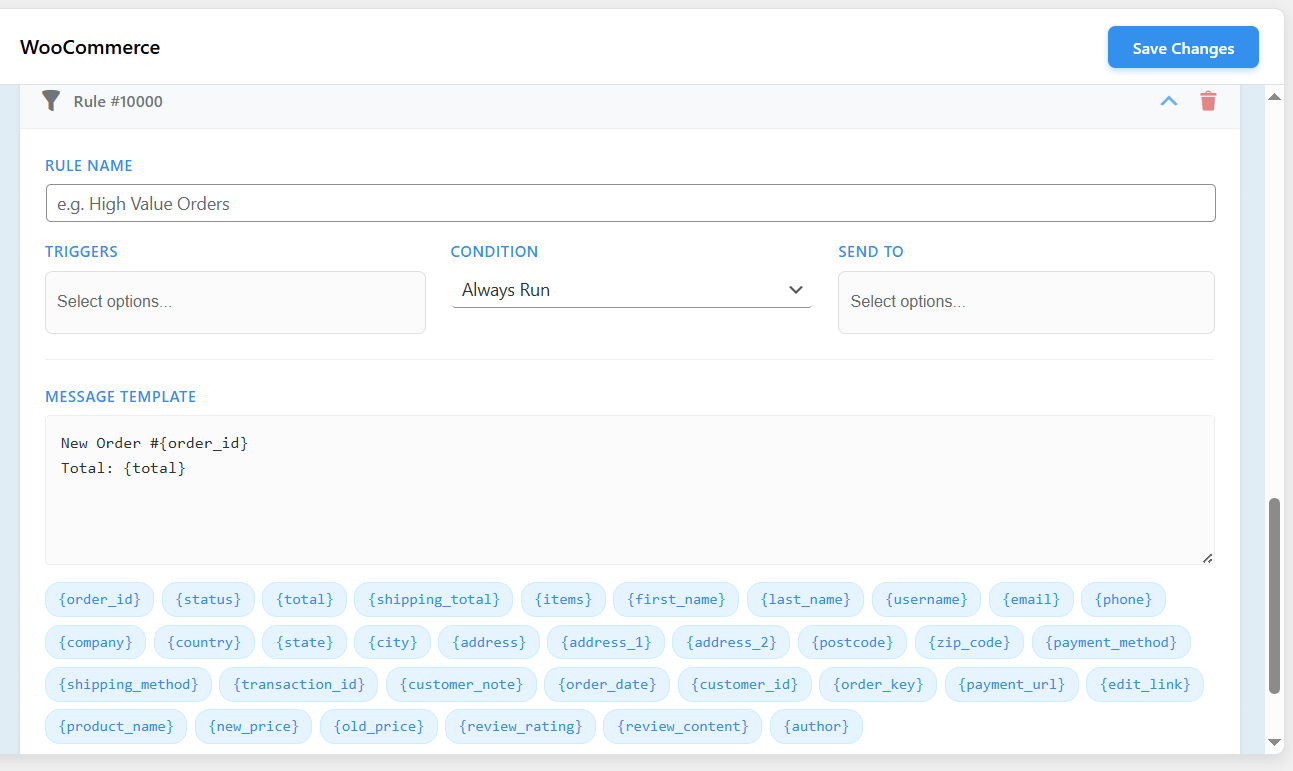
Custom Message Templates: Fully customizable HTML message templates. Use placeholders like {order_id}, {total}, {customer_name}, {shipping_address}, and many more.
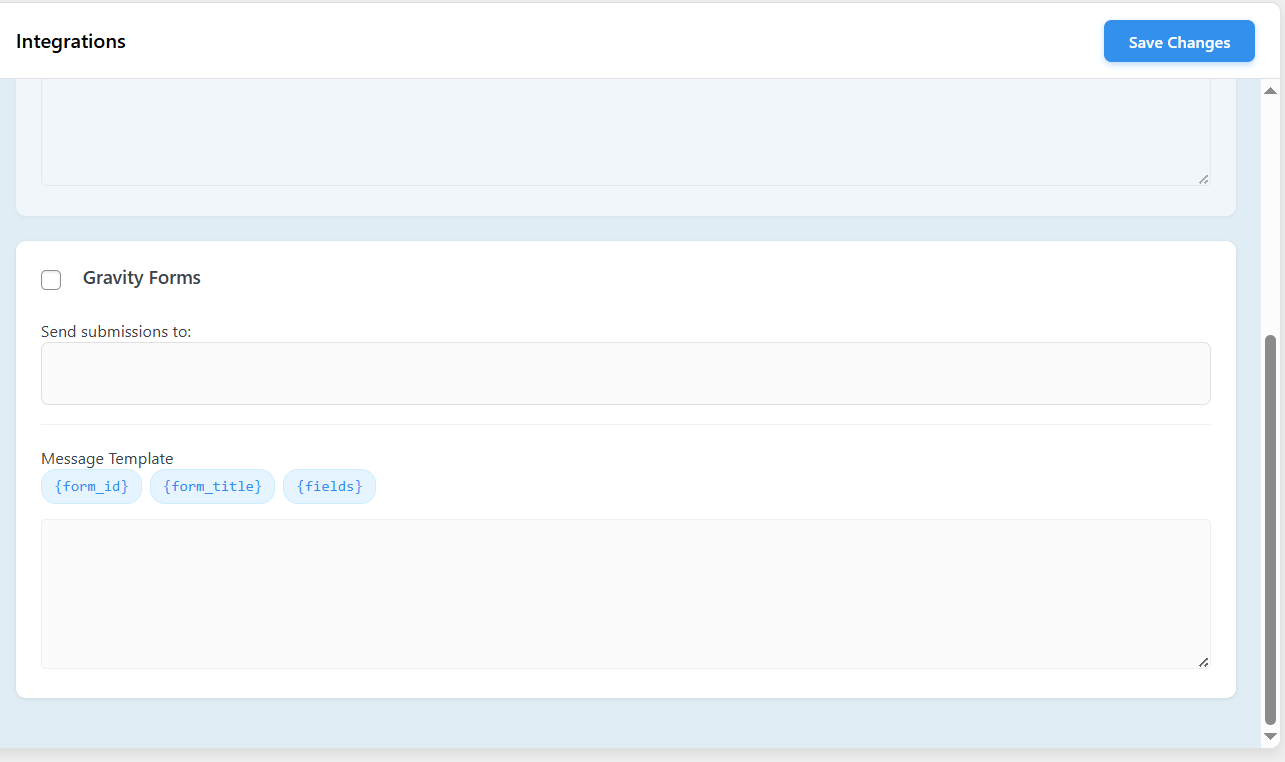
Form Integrations:
- Contact Form 7: Get form submissions sent directly to Telegram.
- Gravity Forms: Full support for Gravity Forms notifications.
Conditional Logic: Only send alerts if specific conditions are met (e.g., Order Total > $100, or Shipping Country is “US”).
Extended Log Retention: Keep your notification history for 30, 90 days, or forever (Lite is limited to the last 10 logs).
External Services
This plugin relies on third-party services to function. By using this plugin, you agree to the terms of service and privacy policies of these providers.
- Telegram API
- Service: Telegram Messenger
- Usage: Used to send notification messages from your WordPress site to your designated Telegram chats/channels.
- Data Sent: Message content (which may include order details, customer data, and site events) and Bot credentials (token, chat ID).
- Links: Telegram Terms of Service
- Google Apps Script
- Service: Google Cloud Platform (Apps Script)
- Usage: Used as an optional proxy relay to bypass server blocks if your hosting provider restricts outgoing connections to the Telegram API. This feature is only active if “Use Proxy Server” is enabled in the settings.
- Data Sent: The encrypted message payload is relayed through the script to Telegram. The script acts as a pass-through and does not permanently store your data.
- Links: Google Privacy Policy, Google Terms of Service
Installation
- Upload the plugin files to the
/wp-content/plugins/jix-instant-alerts-to-telegram-for-woocommercedirectory, or install the plugin through the WordPress plugins screen. - Activate the plugin through the ‘Plugins’ screen in WordPress.
- Navigate to Settings > Telegram Alerts to configure your bots.
How to Create a Telegram Bot
- To use this plugin, you need a Telegram Bot Token and a Chat ID.
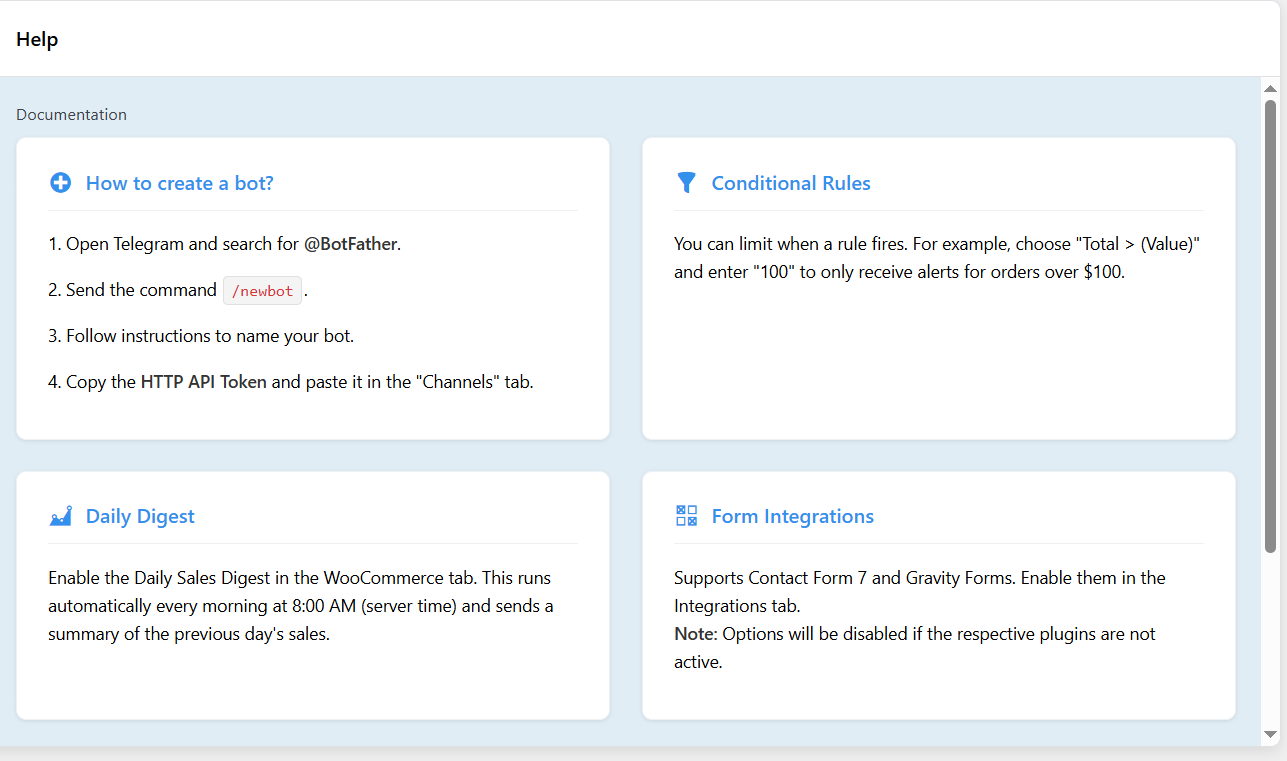
- Open Telegram and search for @BotFather.
- Send the command
/newbot. - Follow the instructions to name your bot.
- BotFather will give you an API Token (e.g.,
123456789:ABCdef...). Copy this. - Start a chat with your new bot and send a message (e.g., “Hello”).
- To get your Chat ID:
- For Personal Messages: You can use a bot like @userinfobot to find your numeric ID.
- For Channels/Groups: Add your bot as an Administrator to the channel/group. The Chat ID for public channels is usually
@channelname. - Go to the plugin settings page (Settings > Telegram Alerts) and enter the Token and Chat ID.
- Click “Test” to verify the connection.
Frequently Asked Questions
My server cannot connect to Telegram. What should I do?
Some hosting providers block outgoing connections to api.telegram.org. Go to the Channels tab in the plugin settings and enable “Use Proxy Server”. This uses a Script relay to bypass the block securely.
Can I send notifications to a Telegram Group?
Yes.
- Add your bot to the group.
- If the group is private, you need to find the numeric Chat ID (usually starts with a -).
- If the group is public, you might be able to use the
@groupname.
How do I customize the message text?
In the Lite version, standard default templates are used. To fully customize the message text, use placeholders (tags), and add your own HTML formatting, you need to upgrade to the Pro version.
Does this support multi-vendor plugins?
Currently, this plugin listens to standard WooCommerce order hooks. It works with standard setups. Specific multi-vendor support is not explicitly built-in but usually works if the vendor plugin uses standard WooCommerce orders.